
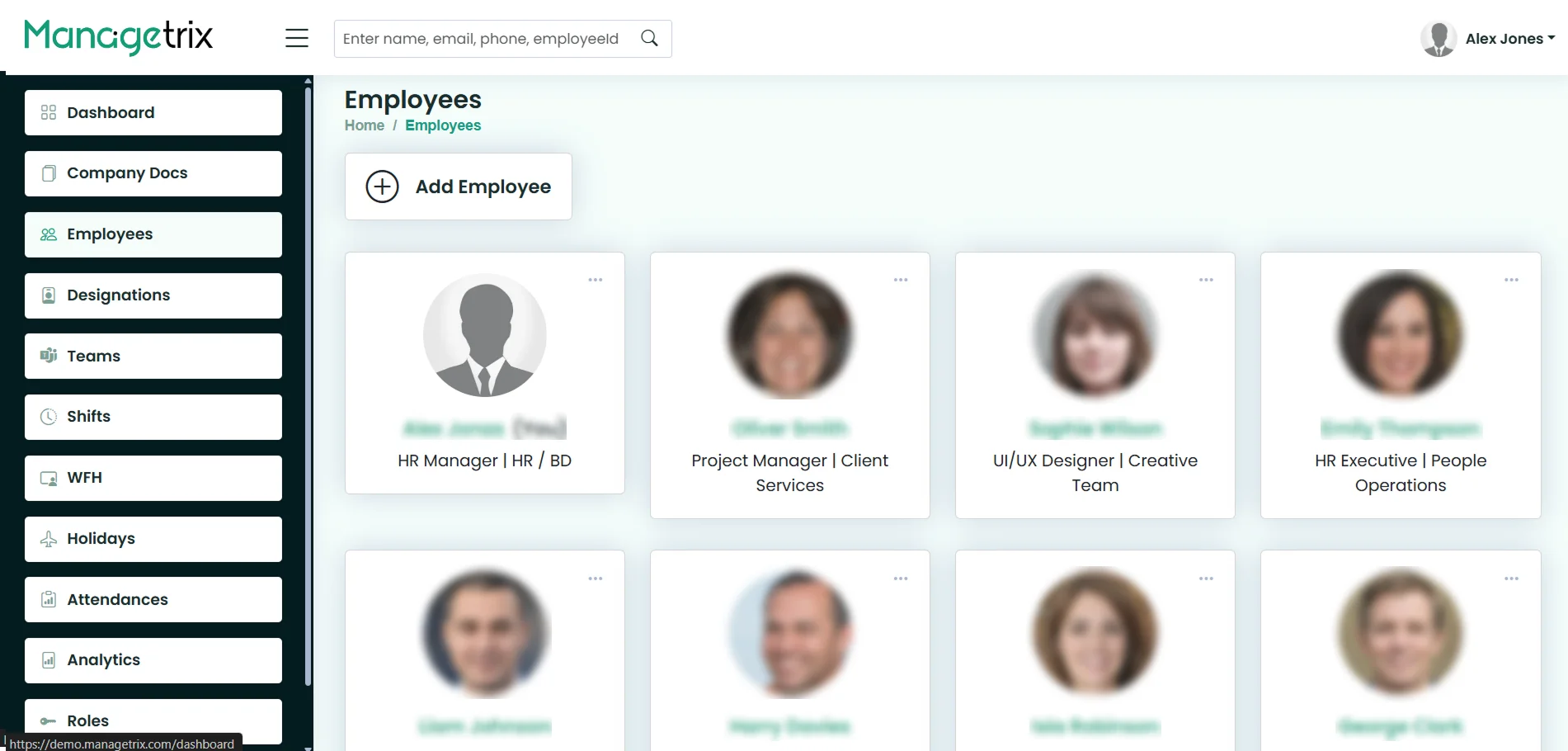
What Is an Employee Management System?
An employee management system is software that keeps every employee’s information and day-to-day HR tasks in one central place, so HR can find, update, and act on employee records without juggling spreadsheets.
It usually holds an employee directory, roles and permissions, teams and working hours, attendance, documents, and reporting.
How it differs from a spreadsheet: a spreadsheet stores rows of data, while an employee management system keeps one live record per person that the right people can update, search and act on, without several files to reconcile.
How it differs from an HRIS: an HRIS usually covers a wider set of HR functions, such as payroll and benefits. An employee management system focuses on the employee record and the daily work around it.
Why Spreadsheets Stop Working as You Grow
Spreadsheets are useful for small teams, but with increasing employees, managing data becomes difficult. Delays and mistakes creep in through different files, manual updates, and email follow-ups.
Core Employee Management Features
Employee Management Across the Full Life Cycle
Employee management does not stop once someone is hired. It follows the whole employee life cycle, from the day a person joins to the day they leave, and the same record carries them through every stage.
Add the new starter from the Add Employee button, give them a designation and a team, and point them to the company handbook in Company Docs. Good onboarding starts with a complete record, so the new hire appears correctly in the directory from day one.
Day to day, the record is where attendance, leave requests and work-from-home days are tracked. Employees punch in and out from their dashboard and raise leave requests themselves, and HR sees everything against the same profile.
When someone is promoted or moves department, update their designation or team on their record. Because job titles and teams come from managed lists, the change is a selection rather than retyping, and the person shows up in the right place straight away.
Deactivate an employee’s access to your Managetrix instance while keeping their records accessible for future reference.
Staff Management Software Built for How You Work
Managetrix is staff management software that fits the way different businesses are organised. The same system works across industries, from IT and education to retail, healthcare and manufacturing, and adapts to how your teams are set up.
One Simple System for Every Type of Workforce
From small teams to multi-department companies and distributed workforces, manage employee records, teams, attendance and leave in one organised system built to fit the way your business works.
Works With the Rest of Your HR Stack
In addition to our employee management module, Managetrix offers a variety of other HR modules.
Self-Hosted, One-Time Licence — How Managetrix Is Different
| Managetrix | Typical cloud HR tool | |
|---|---|---|
| Where your data lives | your own server and database | the vendor’s cloud |
| How you pay | a one-time licence | a fee per user, per month |
| Cost when you hire 40 more people | no change | 40 more monthly seats |
Signs You Have Outgrown the staff spreadsheet
- The drawback is that nobody knows the updated sheet
- Time-consuming to find the right file for a phone no.
- Anyone can make a copy of a file that has Personal sensitive information
- New hires mean updating the whole sheet of staff
What Hr admin sees, and what employees see
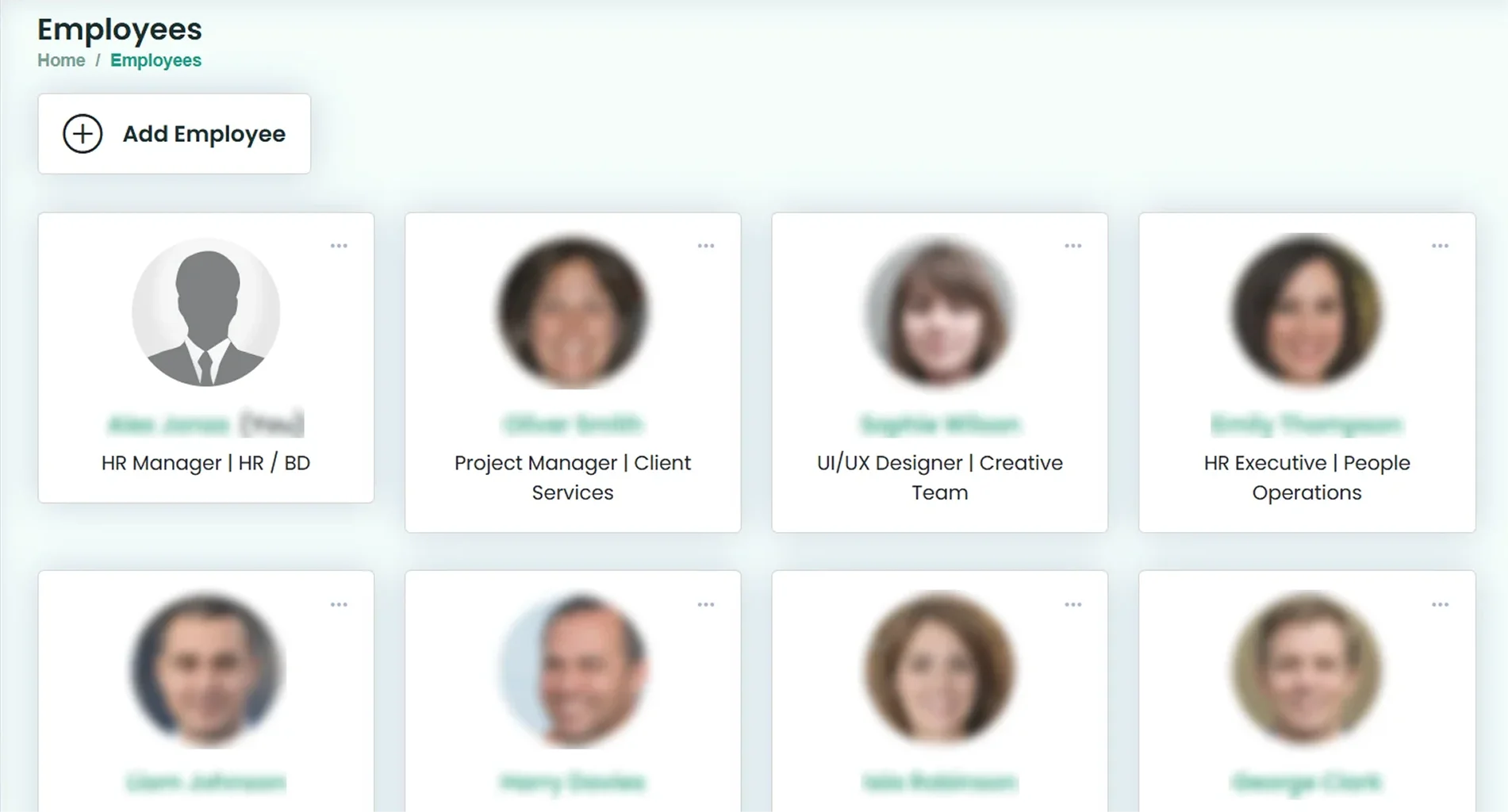
- Can add new hires at the Add Employee tab
- Opens and edits personal and bank details
- Person’s designation and team can be assigned
- Search is available to find the whole company name, email, phone, or employee ID
- Punches details in their own dashboard
- Finds their own cards in the directory
- Records monthly attendance, late, and overtime details
- Sends leave requests and sees the next holiday
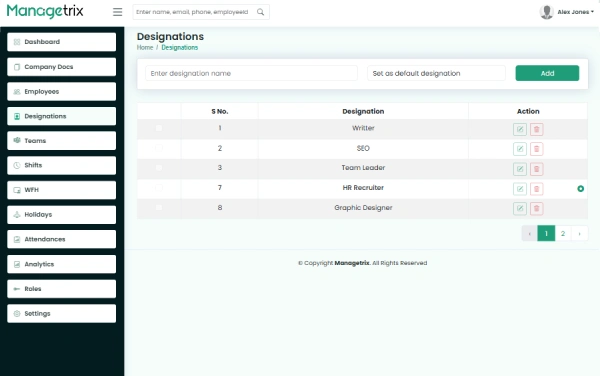
Open the employee directory in the live demo
The demo is based on four main tab buttons: Dashboard, company doc, employees, and designation. No sign-up required for the demo; you can search for a person, view employee cards, and see how designation and team are shown
one employee record, every HR module
Job titles present on every employee card
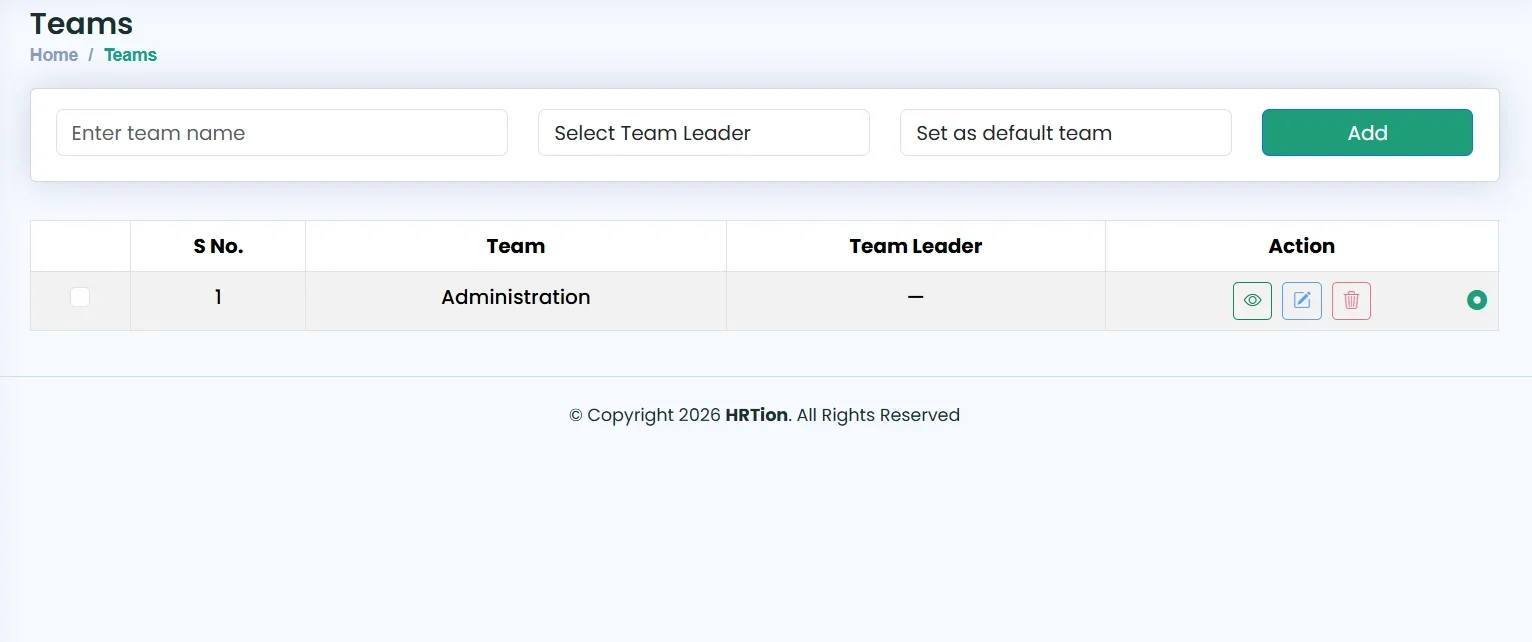
People are grouped into teams with an assigned leader
Punch-in, punch-out, late arrival, overtime marked for each
Can be accessed by every employee.
Leave request with status shown along with calendar holidays
Person’s daily attendance, pending leaves, and next holidays
Remote days counted similarly to regular days
Monthly attendance, late, overtime, absence, and leave per person
Decide what changes are required and who can see it
Each person keeps their details up to date, like passwords.
Self-hosted employee management: your server and your data
Managetrix stores employee data in your own server MongoDB database
- Login passwords of every employee
- Admin-controlled visibility of employees’ profiles
- User role and permission
- Profile bank details and documents in your install
- Who can reach the server
- MongoDB database and backups
- HTTPS certificates and your domain
- When to restore data, where it lives, and when to move
No third-party access, as no vendor is involved; security is totally dependent upon your server and how it’s run
spreadsheet vs per-user cloud Hr vs Managatrix
How self-hosting works for you: an honest view
| Spread sheet | Per-seat cloud Hr software | Managterix | |
|---|---|---|---|
| How you pay | free | Per user, per month | One-time licence, $ 499- $ 1,499 |
| When you hire 20 more employees | Files multiply and nothing changes | Bills go up every month | Same licence |
| Where records live | Files and emails thread | The vendor cloud | Your own server database |
| Finding a person | Search each file | seach | Search by email, employee ID, name, and phone number |
| Hosting, backup, patches | you | vendor | On your own server |
| updates | – | Automatics | Not included today |
| Try before you buy | – | Usually a free trial | Live demo and no sign-up. |
Full refunds within 14 days
a written licence agreement
Managetrix LLC, Houston, TX in USD
Cards or bank transfer
From Demo to your first employee records
No checkout with no surprises

Open the live demo, then tell us your headcount and the modules you need

Pay once for the plan you need; you will get a licence and installation package

Install ManageTrix and connect your MongoDB database

Create a team and add employees; add designation
Companies Running Managetrix
Businesses already use Managetrix to replace spreadsheets and scattered HR records. Here is what three of them told us.
Managetrix is sold as a one-time licence in three tiers, and each tier includes everything in the one below it.
- Everything in Basic
- Company Document Management
- Attendance & Time Tracking
Offers Complete Support to Growing Organizations
Managetrix helps growing organisations by managing employee information and HR tasks in one place. Whether your team has 10 employees or has grown to 1,000+, you can manage employee records, teams, and HR workflows through one central system.
Try the demo or contact our sales team to learn more.

Frequently Asked Questions
What is an employee management system?
An employee management system is software that keeps employee records, job titles, teams, attendance, leave, documents and other HR information in one place. Instead of scattered spreadsheets, HR works from one record per person that the right people can search, update and act on.
Is Managetrix cloud-based or self-hosted?
Managetrix is self-hosted. It runs on your own server with your own database, so employee data stays under your control instead of sitting in a vendor’s cloud. It is not a hosted subscription service.
How much does employee management software cost?
Managetrix has three licence options: Basic at $499, Standard at $999 and Premium at $1,499. Each is a one-time payment, not a monthly fee per user. Compare what each tier includes on the Pricing page.
Can I import our existing employee data from a spreadsheet?
Yes. You can import existing employee data from a spreadsheet using bulk import.
How many employees can Managetrix handle?
The licence is not priced by headcount, so adding employees does not change what you pay. Because Managetrix runs on your own server, how many employees it handles comfortably depends on that server, so share your headcount with the sales team before you buy.
Who can see an employee’s profile?
It depends on the roles and permissions your admins set up. Each role decides what its holders can view and edit, so personal details are shown only to the people who need them. Access is configured in User Roles & Permissions Management.
Is employee data secure in a self-hosted system?
Self-hosting puts security in your hands. Employee data is stored on your own server and database rather than a vendor’s cloud, so it is protected by your own hosting, backups, and access rules, and only the people you give access to can see it.
How is an employee management system different from an HRIS?
An employee management system focuses on employee records and the daily HR work around them, such as attendance, leave, teams, and documents. An HRIS usually covers a wider range of HR functions, including payroll, benefits, and compliance reporting.
What are the key features of an employee management system?
Key features usually include employee profiles and a directory, search, job titles, teams, permissions, attendance, leave, documents, reports and employee self-service. In Managetrix these sit in separate modules that all work from the same employee records.
Why do growing businesses need employee management software?
As a business grows, keeping employee information in spreadsheets takes more time and causes more mistakes. A central system keeps one accurate record per person, gives each manager the right access and lets employees check their own attendance and leave instead of asking HR.