Home service technician busy! The lead goes cold. That’s why speed and organization are critical. Harvard Business Review research found that companies that contacted web-generated leads within an hour were nearly seven times more likely to qualify them than companies that waited another hour.
Managing clients quickly is only half the challenge. Once a lead becomes a customer, the business also has to schedule appointments, send estimates, assign technicians, track jobs, manage working hours, collect payments, and follow up for reviews.
HighLevel serves as a CRM for the entire customer journey, automating all workflows.
The challenge comes when the work moves from the office to the field.
A CRM shows scheduled jobs. A home service operation may also need to know whether the technician arrived, where the technician is, how long the job took, which route was followed, and whether the work was approved.
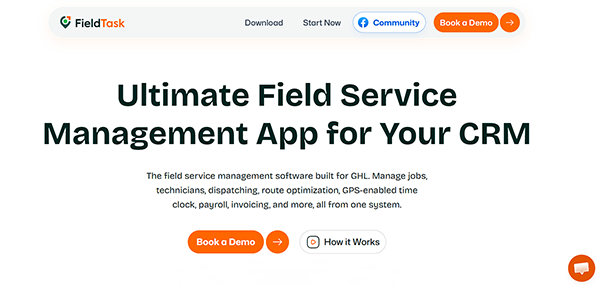
That’s where a field service layer like FieldTask complements HighLevel. FieldTask is designed to work alongside HighLevel while adding tools such as dispatching, GPS tracking, route optimization, geofenced attendance, time tracking, work orders, and job approval.
Use HighLevel for what it does best, then extend the system when field operations require more specialized tools.
Here’s how to build that setup.
How HighLevel Helps Manage Home Service Clients
HighLevel performs best when you use it to manage the full customer journey.
Among different types of collar jobs, home service is a prominent profession. A typical home service client may move through this process:
New Lead → Contacted → Appointment Booked → Estimate Sent → Job Scheduled → Job Completed → Invoice → Payment → Review
HighLevel can keep each stage connected to the same customer record.
This makes it easier for office staff to understand what has already happened and what should ensue next.
Home service businesses can use HighLevel for:
- Lead capture
- CRM management
- Sales pipelines
- Appointment scheduling
- SMS/Email follow-up
- Estimate follow-up
- Customer reminders
- Invoicing
- Payment collection
- Review requests
- Client reactivation
This works across many service industries.
Plumbers, HVAC companies, cleaners, electricians, landscapers, roofers, pest control businesses, and maintenance companies can all use a similar structure.
Create a Home Service Client Pipeline
The pipeline should reflect the real service process.
Don’t build a pipeline around internal actions that customers never see.
A simple home service pipeline may include:
- New Lead
- Contacted
- Appointment Scheduled
- Estimate Sent and Approved
- Job Scheduled
- Technician Assigned
- Work in Progress
- Job Completed
- Invoice Sent
- Payment Obtained
This gives office staff a clear view of active opportunities.
It also helps managers identify where jobs are getting stuck.
For example, a large number of opportunities in Estimate Sent may point to a weak follow-up process.
A large number in Invoice Sent may show a collection problem.
Store the Right Client Information
A home service CRM requires more than basic contact details.
HighLevel custom fields can store service-specific information.
Useful fields may include:
- Service address
- Service type
- Residential or commercial
- Job precedence
- Preferred appointment time
- Assigned technician
- Estimate amount
- Property type
- Equipment details
- Service frequency
- Access instructions
- Job directives
- Maintenance plan status
The exact fields should depend on the business.
An HVAC company may need equipment type and system age.
A cleaning company may care more about property size, number of rooms, and service frequency.
A plumber may require fixture type, problem description, and emergency status.
Capture Home Service Leads in HighLevel
Home service leads often come from several channels:
- Google Ads
- Facebook Ads
- Organic search
- Website forms
- Phone calls
- Referrals
- Local directories
- Earlier customers
HighLevel can place these leads into one CRM.
That gives the business a single place to manage conversations, appointments, opportunities, and follow-ups.
For example, a homeowner may submit a request for drain cleaning.
HighLevel can create the contact, open an opportunity, notify the office, and start an automated reply.
The office does not need to copy the lead into another spreadsheet before taking action.
Respond to New Leads Quickly
Home service buyers usually want a fast response, which HighLevel workflows are designed for, including:
- Send an SMS confirmation
- Send a booking link
- Notify office staff
- Make a call task
- Move the opportunity into the correct pipeline
The automation should support the team.
It should not make the customer think a real person has already reviewed the problem when nobody has.
Use Missed-Call Text Back
Missed calls can become lost income.
This is especially true for emergency and same-day home services.
HighLevel can send a text after an unanswered call.
The message can ask what type of service the customer needs.
For example:
“Sorry we missed your call. What service do you need help with?”
This maintains the conversation open.
It can also help the business qualify the request before calling back.
Schedule Home Service Appointments
HighLevel calendars can handle different service types.
A business may create separate calendars for:
- Estimates
- Inspections
- Service calls
- Repairs
- Maintenance
- Installations
- Emergency works
Different services should use different appointment durations.
A roof inspection may take less time than a full HVAC installation.
A plumbing consultation may need a different calendar from emergency repair.
The calendar setup should match real operating capacity.
Automate Appointment Reminders
Appointment reminders lower no-shows.
They also reduce the number of customers calling the office to confirm timing.
A practical sequence might include:
- Confirmation immediately after booking
- Reminder one day before
- Reminder a few hours before
- Follow-up after the job
Messages should include useful information.
The appointment time, service address, and contact instructions matter more than promotional text.
Assign Home Service Jobs to Team Members
HighLevel can assign contacts, tasks, and opportunities to team members.
This gives the firm a basic way to define job ownership.
For example, the office may assign an electrical inspection to one technician and a plumbing repair to another.
The assigned worker can receive information such as:
- Customer name
- Phone number
- Address
- Job type
- Appointment time
- Job notes
This setup works for simple assignments.
However, assignment alone does not tell the manager what is happening in the field.
Where HighLevel Becomes Limited for Home Service Operations
HighLevel handles customer relationships better than field workforce activity.
That distinction becomes important as the team grows.
A home service manager may need to know:
- Where is the technician now?
- Did the employee arrive at the property?
- When did the technician clock in?
- How long did the assignment take?
- Which route did the technician follow?
- How many hours did the employee work?
- Has the job been approved as complete?
These questions go beyond normal CRM management.
They require a field operations layer.
FieldTask: A Home Service App for GoHighLevel
FieldTask functions as a handyman app for GoHighLevel by adding operational tools around the existing CRM.
The business does not need to move its contacts, workflows, pipelines, or customer communication to another platform.
HighLevel can stay responsible for the customer side.
FieldTask can support the field workforce side.
A usable division looks like this:
HighLevel
Lead → CRM → Booking → Estimate → Communication → Invoice → Payment → Review
FieldTask
Technician → Attendance → Location → Route → Working Time → Job Activity → Completion
This is a more realistic setup than trying to force every field process into HighLevel workflows.
Why a GHL Home Service App Becomes Useful
A GHL home service app becomes useful when basic assignments and calendars are no longer enough.
A small company with one or two field employees may manage everything through calls, texts, and simple scheduling.
That changes when the business starts managing several mobile workers.
Managers begin asking operational questions that the CRM does not answer well.
They may need:
- GPS employee tracking
- Geofenced attendance
- Route plan
- Clock in/out
- Timesheets
- Field employee visibility
- Job approval
- Payroll-related time records
These are not marketing features.
They are everyday operational requirements.
A dedicated GHL home service app helps keep those functions connected to the broader HighLevel setup.
These handyman apps are growing in popularity among investors for three major reasons:
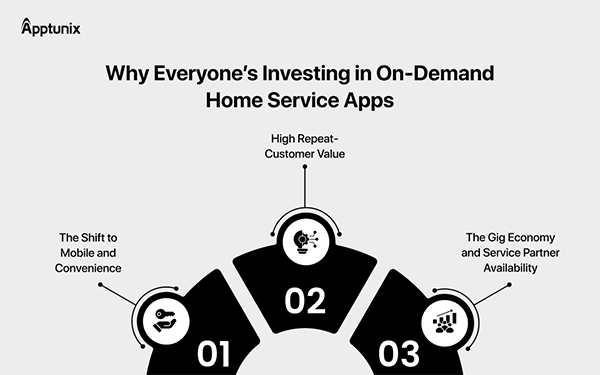
FieldTask Home Service App for GoHighLevel
The FieldTask handyman app for GoHighLevel focuses on the part of the workflow that starts after a service job has been assigned.
HighLevel already oversees much of the customer journey.
FieldTask adds tools for managing workers who leave the office and perform services at customer locations.
That may include:
- GPS-based employee tracking
- Geofenced clock-in/clock-out
- Path optimization
- Attendance
- Timesheets
- Job approval
- Field activity records
- Payroll-related data
- Field crew visibility
This makes FieldTask more relevant to businesses with mobile teams.
The value is not in replacing the CRM.
The value comes from extending HighLevel into an area where field service businesses usually need more operational detail.
Manage Technician Attendance
It’s difficult to verify attendance for field employees.
A home service employee may begin the day at a customer location rather than company headquarters.
A geofenced time clock can add location context to attendance.
For example, a technician can clock in within the approved job area.
This helps managers understand when and where work started.
It can also lower dependence on manually entered timesheets.
Track Home Service Employees With GPS
GPS tracking can give managers better visibility into mobile teams.
This is useful when employees move between several customer locations each day.
Location data may help answer questions such as:
- Which employee is closest to a new job?
- Has the employee reached the property?
- Is the employee still at the previous appointment?
- Was there a long delay between jobs?
This information can support better dispatch decisions.
However, location tracking should always serve a clear business purpose.
Use Route Plan for Mobile Teams
Travel constitutes a major part of many home service businesses.
Technicians may visit several locations during one shift.
Route Plan can help managers review movement between jobs.
It may show:
- Routes taken
- Travel patterns
- Period between appointments
- Unexpected detours
- Service area coverage
This can help identify scheduling problems.
For example, the issue may not be slow technicians.
The real issue may be poor job sequencing that forces employees to drive across the city several times.
Example of a HighLevel Home Service Workflow
Suppose a customer submits a request for a repair.
Step 1: Lead Enters HighLevel
HighLevel creates the contact and opportunity.
The lead enters the New Lead stage.
Step 2: Automated Follow-Up Starts
The customer receives an SMS.
Office staff receives an internal notification.
Step 3: Appointment Gets Booked
The customer chooses a time.
HighLevel sends confirmation and reminder messages.
Step 4: Technician Gets Assigned
The office assigns the job.
The technician gets details on the customer and service.
Step 5: Field Operations Begin
FieldTask can support technician location, attendance, routes, and working time.
Step 6: The Job Gets Completed
The technician finishes the service.
The company updates the job status.
Step 7: Invoice and Payment
The customer gets an invoice.
Payment follow-up starts if necessary.
Step 8: Review and Retention
HighLevel sends a review request.
The customer can later enter a maintenance or reactivation campaign.
This structure keeps the customer experience connected without expecting HighLevel to manage every field operation by itself.
Keep HighLevel Workflows Simple
Home service companies can easily overbuild their HighLevel accounts.
More workflows do not always mean better automation.
I prefer smaller workflows with one clear purpose.
For example:
- New Lead Follow-Up
- Assignment Confirmation
- Appointment Reminder
- Estimate Follow-Up
- Job Scheduled
- Invoice Reminder
- Review Request
- Client Reactivation
This structure makes troubleshooting much easier.
It also reduces the chance of customers receiving duplicate or conflicting messages.
Keep Customer Data and Field Data Separate
Different information belongs in different places.
Use HighLevel pipeline stages for customer and job status.
Use custom fields for structured customer information.
Use calendars for appointments.
Use workflows for automation.
Use FieldTask for technician attendance, GPS, routes, timesheets, and field workforce activity.
This separation creates a cleaner system, as new employees can easily know where they should look for information.
Which Home Service Businesses Can Use HighLevel and FieldTask?
This setup can work for many businesses with mobile employees.
Examples include:
- HVAC firms
- Plumbing businesses
- Roofing contractors
- Cleaning companies
- Janitorial services
- Landscaping companies
- Pest control firms
- Electricians
- Property maintenance companies
- Appliance repair businesses
- Pool service companies
- Installation teams
- Mobile detailing firms
- Handyman services
The need becomes stronger as the field team grows.
A small owner-operated business may not need GPS, geofencing, route tracking, and detailed timesheets.
A company managing several technicians usually benefits much more from that visibility.
Is FieldTask the Right GHL Home Service App?
FieldTask is a no-brainer for a business that already wants to keep HighLevel at the center of its customer management process.
The company may already have:
- Contacts
- Pipelines
- Workflows
- Calendars
- SMS sequences
- Email campaigns
- Forms
- Review automation
Replacing everything just to gain field workforce features would often create unnecessary migration work.
A GHL handyman app such as FieldTask takes a different approach.
It adds field operations without asking the business to rebuild its CRM.
That is the part I find most practical about this model.
The company can keep HighLevel for what it already does well and add specialized operating tools only where they are actually needed.
How to Build a Complete Home Service System Around HighLevel
A complete setup does not mean forcing one platform to do everything.
It means giving each part of the business the right tool.
A practical structure is:
- HighLevel: leads, CRM, appointments, quotes, customer communication, invoices, payments, reviews, and reactivation.
- FieldTask: GPS tracking, geofenced attendance, routes, timesheets, job approval, and field workforce visibility.
- Accounting software: bookkeeping, reconciliation, reporting, and tax records where required.
This arrangement reduces software overlap.
It also gives the business room to grow without rebuilding the entire customer management process.
Final Thoughts:
HighLevel is a strong platform for managing home service clients.
It can handle the customer journey from lead capture and booking through follow-up, invoicing, payment, reviews, and repeat orders.
Its limitations appear mainly in field workforce management.
Technician location, geofenced attendance, route tracking, working time, and field activity require a more operational toolset.
FieldTask fills that gap as a home service app for GoHighLevel.
The most practical approach is to keep HighLevel as the CRM and automation hub, then utilize the FieldTask handyman app for GoHighLevel, where technician and field operations begin.
That creates a more complete home service system without turning the CRM into something it was never designed to be.
FAQs
1. Can we use HighLevel for a home service business?
Ans: HighLevel can manage many parts of the home service customer journey, including lead capture, CRM management, appointment scheduling, automated follow-ups, estimates, invoices, payments, reviews, and customer reactivation.
2. What are the limitations of HighLevel for home service businesses?
Ans: Businesses with larger mobile teams may need specialized tools for technician dispatching, GPS tracking, geofenced attendance, route management, timesheets, and field job activity.
Ans: FieldTask is designed specifically to work alongside HighLevel, adding field-service capabilities such as dispatching, GPS tracking, route optimization, work orders, geofenced attendance, time tracking, and job approval.
3. Can FieldTask work with HighLevel?