

AI in video editing has moved beyond just removing silences and generating captions. Today’s platforms can handle entire editing workflows, from analyzing raw footage to assembling cuts and preparing videos for publication. But automation isn’t the same as control.
Post-production tools Invideo Editor and Loopdesk take different approaches. Former combines AI agents with a professional, editable timeline, while Loopdesk centers its workflow around Aura, an AI editing companion designed to execute tasks through natural-language instructions. Both run in the browser, but their approaches suit different production needs.
Let’s compare their workflows, manual edit capabilities, batch processing, generative features, and pricing to help you choose the right tool for your projects.
Quick Comparison: Invideo Editor vs Loopdesk
Here’s a quick overview of both tools based on various aspects:
| Feature | Invideo Editor | Loopdesk |
| Workflow | A full professional timeline with AI agents you can assign real editing work to, working manually or delegating freely | A single agent (Aura) executes a complete workflow from one prompt, with a leaner manual edit layer underneath |
| Best For | Projects needing a balance between AI and granular control | High-volume batch production from one instruction across many videos at once |
| Specs | Runs entirely in the browser, no local hardware requirement | Runs entirely in the browser, no local hardware requirement |
| Models | 200+ generative models available directly inside the edit | Primarily agent-driven editing rather than in-project generation |
| Free Option | Basic tier: $9/seat/month | No free plan |
| Pricing | Basic $9/Pro $25/Ultra $60 per seat/month, billed annually | Creator Lite around $19/month, or ~$15/month billed annually |
1. Overview: What Each Editor Is Best Known For
AI editing tools can turn your creative concepts into engaging videos. Let’s get a more detailed overview of the selected editors.
Invideo Editor
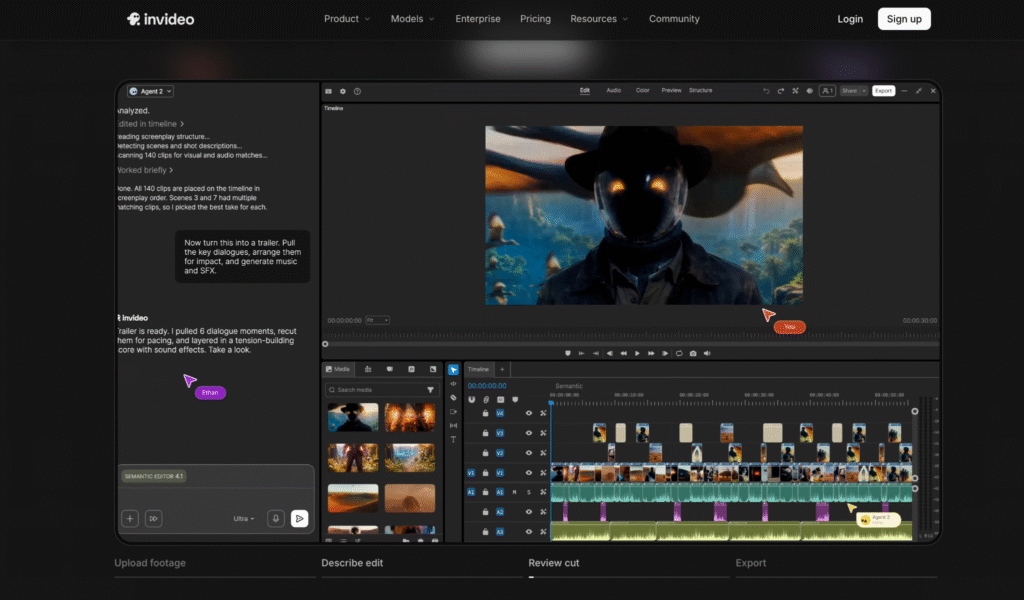
It’s an AI video editing agent that combines a frame-accurate timeline with AI agents assigned to perform actual editing tasks:
- Reviewing raw footage
- Assembling a base cut
- Syncing multicam angles
- Restructuring pacing
- Grading
- Mixing and dubbing
Everything is done based on plain-language direction. Every agent action lands on a timeline that remains fully editable by hand.
Best known for:
- AI agents transform raw footage into a working cut
- A full professional toolset, keyframes, color grading, a built-in audio workstation, usable entirely by hand
- Generate video, audio, images with 200+ AI models
- Genuinely collaborative, multiplayer projects
Loopdesk
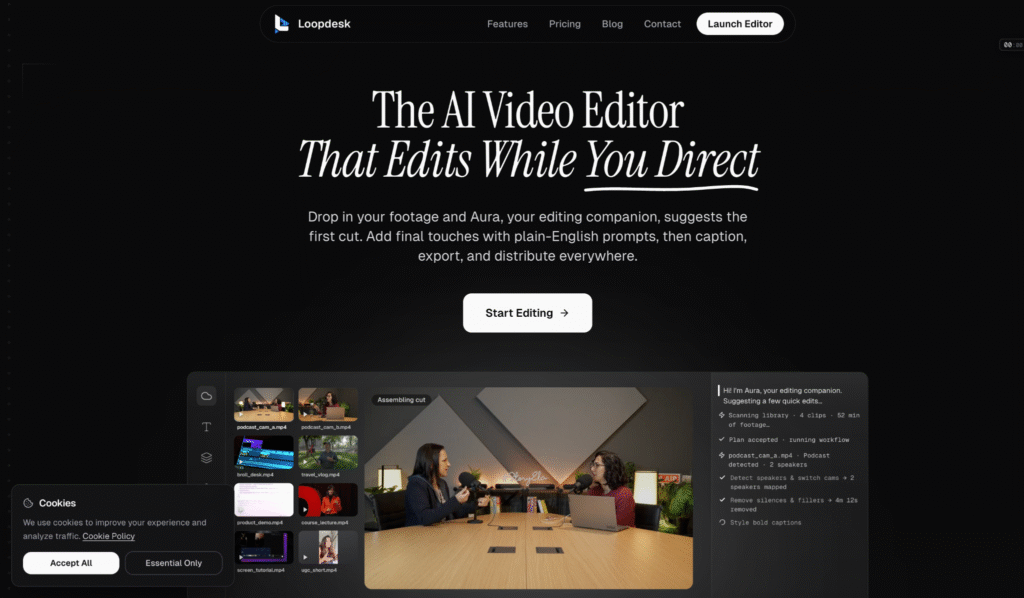
Loopdesk is an agent-first video editing tool. The agent name is Aura, which takes one natural-language instruction and executes an entire post-production chain without requiring further clicks.
You prompt the tool with something like: “remove silences and filler words, caption it in our brand style, and give me five vertical clips,” and instantly, you get the result you desire. It runs fully in the browser and supports batch processing across dozens of videos at once. If you’re a podcaster, consider the top 5 online video editors.
Best known for:
- Agent-first design from the ground up. Not AI slapped on a traditional video editing tool
- Strong batch processing for high-volume content production
- Executing a full editing chain from a single prompt
- Minimal interface for more focus, unlike a traditional video editor
2. Editing Workflow
How does your editing workflow differ when working on either of the tools? Let’s see.
Loopdesk
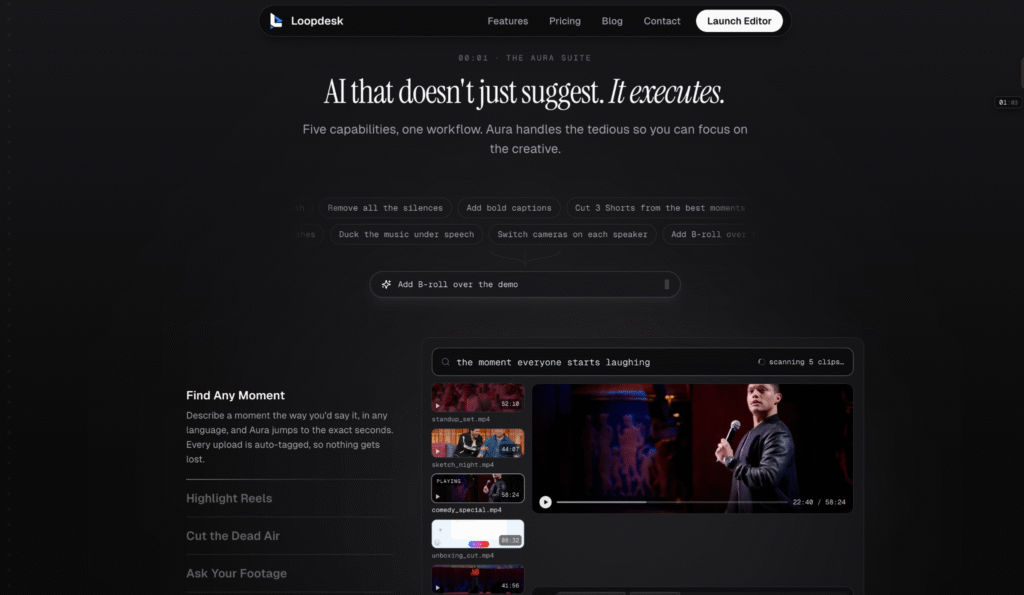
You can literally type a line and get a complete output. Describe the desired outcome, and Aura automatically handles analysis, cutting, captioning, and export. This single-prompt execution is efficient for processing large volumes of video with a consistent style, with less emphasis on manual reworking after the fact.
Invideo Editor
Invideo AI is also capable of doing all this in a project. However, the same project also includes a full manual timeline with keyframes, a color suite, and a built-in audio workstation. An editor can direct the agents for most of the work, then manually refine specific shots or details without leaving the project or losing the work agents have already done.
Winner: The choice depends on the job.
Loopdesk has a higher effort-to-output ratio. It’s simply faster for producing volume from a single instruction across many videos. Invideo Editor is better for projects where an editor wants to direct agents broadly and still refine specific details by hand afterward.
3. Manual Editing Depth
How much control do you have, and how much can you accomplish with all the strings in your hands instead of AI:
Loopdesk
Loopdesk is intentionally lean when it comes to manual edits. It doesn’t focus on deep keyframing, nodal-level color work, or detailed audio mixing. It’s the AI agent that handles the full video editing chain, rather than the platform offering detailed manual tools to the editor.
Invideo Editor
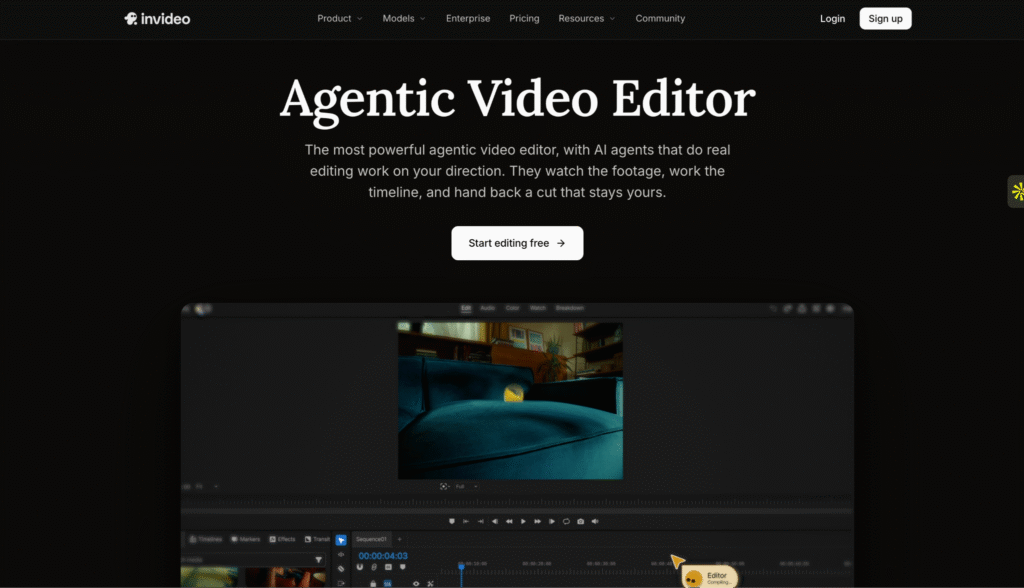
This one offers:
- Full manual timeline with keyframes
- Color grading tools
- Built-in audio workstation
This allows editors to take over manually for specific shots or details after the agents have done most of the work, making it ideal for those who value both automation and precise control.
Winner: Invideo Editor
Invideo has a fuller set of manual editing tools in addition to its AI agents. It allows for detailed control at the keyframe level, including transform, position, rotation, and opacity. It also includes custom Bezier easing curves, a comprehensive color grading system with wheels, curves, qualifiers, and LUTs, and an integrated audio workstation with buses, per-track effects, and loudness metering. That clearly makes it a winner for those who want professional manual control available within the same project as the agent layer, not only based on the agent’s own decisions.
4. Batch Processing and Volume
Work on multiple projects at once regularly? Let’s see which tool better suits you:
Loopdesk
Loopdesk excels in performing batch operations across multiple videos simultaneously. The edit crew can apply the same instructions consistently and quickly across various large videos.
Invideo Editor
Invideo is focused on maintaining deep context for a single project, including characters, brand references, and the structure of a specific edit, ensuring consistency across all tasks within that project.
It’s not optimized for applying the same edits on multiple videos simultaneously.
Winner: Loopdesk
Especially for a team specifically creating high-volume content based on one repeated instruction across multiple separate pieces.
5. Generative Models and Assets
Loopdesk is AI-heavy, but that is primarily used for editing, not content generation. Its strength lies in what it can do with existing footage, not in generating new footage. Invideo, on the other hand, has access to 200 models for video, image, and audio generation.
Get the best AI laptops for the job to leverage generative AI better.
Conclusion
Both the tools differ considerably in approach to post-production. Invideo combines a professional video editing environment with AI agents, while Loopdesk is primarily an AI-based editing tool.
If you like more convenience, Loopdesk is for you. If you like more control, it’s Invideo.
FAQs
1. Is Invideo Editor better than Loopdesk?
Ans: Depends on the use case. Invideo combines AI agents with professional timeline editing, while Loopdesk centers on AI-assisted post-production through Aura.
2. Is Loopdesk free to use?
Ans: Loopdesk lists paid plans, including Creator Lite and Creator Pro.
Ans: Yes. It includes a manual timeline, and manual timeline editing is available for free.
3. Does Invideo Editor support manual editing?