

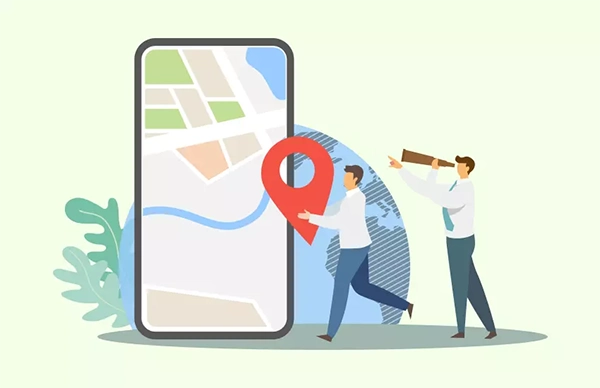
As field work happens away from the office, tracking an employee’s productivity becomes difficult. Managers can’t oversee every job, route, delay, customer visit, or service issue in person, creating a real challenge for many businesses.
This problem can easily be remedied with the help of specialized software, allowing you to track the progress of individuals without having to micromanage and pressurize every member of the team.
Let’s take a look at how this can really be made possible and what mistakes you should steer away from while doing so.
Key Takeaways
- The best productivity system measures real work, not random activity
- Managers should track whether the employee has reached the site, started on time, finished the task, documented the work, and followed the schedule
- The most useful field productivity metrics include job completion rate, on-time arrival, time on site, travel time, missed visits, and customer feedback
- Specialized software supports this approach by giving managers visibility into field work without forcing constant manual check-ins
What Field Employee Productivity Really Means
Field employee productivity means more than “how many jobs someone completes.”
A technician may complete fewer jobs because they handle complex work. A cleaner may spend more time at one site because the client has a larger space. A security guard may look inactive on paper, even though their job is to stay alert at a fixed post.
So productivity must match the type of field work.
For HVAC, productivity may mean first-time fix rate, job completion time, and response speed.
For cleaning, it may mean completed site visits, service quality, and attendance accuracy.
For construction, it may mean hours by project, task progress, and crew output.
For security, it may mean shift coverage, patrol completion, and on-site presence.
The best productivity system measures real work, not random activity.
Why Micromanagement Hurts Field Teams
Micromanagement makes field employees feel like managers do not trust them.
That feeling creates stress, low morale, and poor communication. It can also push good employees away.
Field teams already deal with traffic, customer issues, weather, site access problems, equipment delays, and changing schedules. Constant check-ins only add more pressure.
A manager should not need to call every hour to ask, “Where are you?” or “What are you doing now?”
That approach wastes time for both sides.
A better system gives managers useful updates automatically. It also gives employees enough freedom to do the job well.
Track Outcomes, Not Every Movement
The best way to avoid micromanagement is to focus on outcomes.
Managers should track whether the employee has safely reached the job site, started on time, accomplished the task, documented the work, and followed the schedule.
They should avoid judging every stop, pause, or small route change without context.
Field work is not always linear. A technician may stop for parts. A cleaner may wait for site access. A field inspector may spend extra time documenting an issue.
Good productivity tracking leaves room for real-world conditions.
The key question should be simple: did the employee complete the expected work with good quality and honest time records?
Set Clear Productivity Metrics First
Clear metrics prevent confusion.
Field employees should know how the company measures performance before tracking starts.
The most useful field productivity metrics include job completion rate, on-time arrival, time on site, travel time, missed visits, repeat visits, customer feedback, task completion, attendance accuracy, and proof of work.
These metrics work because they connect directly to business results.
They also feel more fair than vague judgment.
A manager should not say, “You do not look productive.” A manager should say, “Three jobs were delayed this week, and two had missing job notes. Let’s review what happened.”
Specific data creates a better conversation.
Use GPS Tracking for Visibility, Not Surveillance
GPS tracking can help field teams when companies use it correctly.
Managers can see who is near an urgent job, who has arrived at a site, and who may be delayed. This helps dispatchers plan faster and update customers with more confidence.
GPS tracking becomes a problem when managers use it to question every small movement.
That damages trust.
A fair GPS policy should explain when tracking applies, why it exists, who can see the data, and how the company uses it.
The purpose should stay work-related. GPS should support dispatch, safety, attendance, route planning, and service proof.
It should not become a tool for constant pressure.
Use Geofencing to Confirm Site Attendance
Geofencing assists in tracking attendance without the requirement of constant manual checks.
A geofence creates a virtual boundary around a job site, customer location, office, warehouse, or service area. Employees can punch in or mark their arrival when they reach the approved location.
This helps confirm that the employee was at the correct place and at the right time, thereby reducing false clock-ins, buddy punching, and manual timesheet disputes.
For field service teams, geofencing provides managers with strong proof without the need for repeated reminders or phone calls.
This is one of the cleaner ways to track productivity because it focuses on job-site presence, not personal movement.
Measure Time on Site With Context
Time on site can show useful productivity patterns.
A job that usually takes 45 minutes to complete, taking 3 hours may require a review. A technician who always finishes all his tasks unusually fast may also need further inspection.
But time on site should never be judged on just a few factors. Some jobs tend to take longer because of customer delays, missing parts, safety problems, building access, bad weather, or other minor issues.
Managers should compare time data with job notes, photos, customer feedback, and task details, thus creating a fairer picture for everyone involved.
Time tracking should support better decisions, not quick blame.

Ask for Proof of Work
Proof of work helps managers review field productivity without hovering.
Employees can upload photos, notes, checklists, forms, signatures, audio updates, or job completion details.
This gives the office a clear record of what happened at the site.
For example, a maintenance technician can upload a photo of a repaired unit. A cleaner can submit a completed checklist. A pest control worker can add treatment notes. A security guard can record patrol activity.
Proof of work protects both the company and the employee.
The company gets service evidence. The employee gets a record that shows completed work.
Use Job Status Updates Instead of Constant Calls
Job status updates reduce micromanagement.
A field employee can mark a job as assigned, on the way, arrived, in progress, delayed, completed, or needs follow-up.
These simple updates give managers enough visibility to run operations.
They also reduce phone calls.
This matters because field employees should spend their time working, not reporting the same update again and again.
A good field service system keeps these updates inside the job record. That way, managers can check progress without interrupting the employee.
Review Productivity Trends, Not One Bad Day
One bad day does not define an employee.
Field work has too many outside factors. Traffic, weather, customer delays, emergency jobs, and equipment issues can change the whole schedule.
Managers should look at productivity trends over time.
A single late arrival may not mean much. Repeated late arrivals across several weeks may show a real issue.
One long job may be normal. A pattern of long jobs with weak notes may need coaching.
Trend-based reviews feel more fair. They also help managers avoid emotional decisions.
Fun Fact
Built-in GPS tracking goes past simple mapping. It helps service teams identify wasted time and optimize routes to pack in more customer visits per day.
Compare Similar Jobs and Similar Roles
Productivity tracking should compare like with like.
An experienced technician handling complex repairs shouldn’t be judged on the same parameters as a junior technician handling basic inspections.
A mobile patrol worker should not be measured like a fixed-post security guard.
A large commercial cleaning job should not be compared with a small office visit.
Good productivity tracking separates job types, service areas, skill levels, and customer requirements.
This makes the data more useful.
It also helps employees trust the system because the comparison feels realistic.
Build a Fair Scorecard
A field employee scorecard can help managers review performance clearly.
The scorecard should combine several data points, not just one number.
A balanced scorecard may include attendance, on-time arrival, completed jobs, customer feedback, proof of work, safety compliance, and timesheet accuracy.
This gives a fuller view of productivity.
It also prevents one weak metric from creating an unfair review.
For example, a technician may complete fewer jobs but receive excellent customer feedback and handle complex work. That employee may still be highly productive.
A smart scorecard should show that.
Use FieldServicely to Track Work Without Hovering
FieldServicely, a simple field service management software, helps field service companies track productivity in a more structured way.
Managers can use scheduling, GPS tracking, geofenced attendance, job status updates, work verification, timesheets, payroll, and reports from one system.
This gives teams better visibility without constant check-ins.
A dispatcher can see where employees are. A supervisor can review job progress. A manager can approve time records. A business owner can check reports.
The value is not just tracking. The value is cleaner field operations.
FieldServicely works best when companies use it to support trust, accountability, and better planning.
Be Transparent With Your Team
Transparency reduces resistance.
Employees should know what the company tracks and why it matters.
A manager should explain to the team how tracking helps ensure payroll accuracy, customer updates, safety, job proof, and scheduling.
Employees should also know when tracking starts and stops.
This is important. Field employees are more likely to accept tracking when the rules are clear.
Hidden tracking creates suspicion. Clear tracking creates structure.
Do Not Track More Than You Need
Good productivity tracking uses only the data that supports work.
A company does not need to track every personal detail to manage field employees well.
The most useful data mostly includes job location, clock-in time, exit time, job status, task progress, travel time, proof of work, and customer feedback.
Tracking should stay tied to work hours and work activity.
This protects employee trust and keeps the system focused.
In my view, companies that collect too much data often create more problems than value.
Coach With Data, Do Not Punish With Data
Productivity data should help managers coach employees.
A good manager uses data to ask better questions.
Why are some jobs taking longer? Why are certain routes causing delays? Why do some employees miss job notes? Why do certain customers create repeat visits?
These questions lead to better training, better schedules, and better processes.
Data should not become a weapon.
When employees believe every metric will be used against them, they stop being honest. They may rush jobs, avoid notes, or hide problems.
That hurts the business.
Give Employees Access to Their Own Records
Employees should be able to see their schedules, time records, job details, and completed work.
This improves trust.
It also helps them correct mistakes faster.
For example, if a clock-in did not record properly, the employee can report it early. If a job note is missing, they can fix it before payroll or billing.
A fair system should not keep all data on the manager’s side.
Field employees should have enough visibility to manage their own work better.
Use Reports to Improve Operations
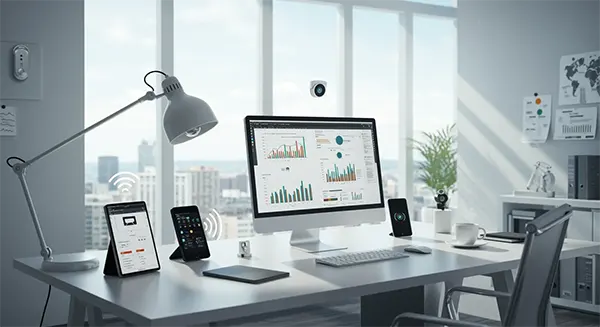
Reports should help managers improve the business.
A good report can show missed jobs, late arrivals, long job times, idle gaps, overtime patterns, travel-heavy routes, repeat visits, and incomplete job records.
These insights help managers fix root problems.
For example, a long travel time may show poor scheduling. Repeat visits may show training gaps. Frequent overtime may show understaffing.
This is where productivity tracking becomes useful.
It helps the company improve systems, not just judge people.
What to Avoid
- Avoid tracking every movement without context.
- Avoid calling employees all day for updates that the software can show.
- Avoid using GPS data as the only measure of productivity.
- Avoid comparing different job types unfairly.
- Avoid punishing employees for one bad day.
- Avoid hiding tracking policies from the team.
- Avoid collecting data that has no clear business purpose.
- These mistakes turn productivity tracking into micromanagement.
- A better approach focuses on clarity, fairness, and useful field data.
A Simple Productivity Tracking Framework
A practical field productivity framework should answer five questions.
- Did the employee arrive at the right place?
- Did the employee start and finish at the expected time?
- Did the employee complete the assigned task?
- Did the employee provide proof or notes?
- Did the customer or manager confirm the work quality?
This framework keeps tracking simple.
It also keeps the focus on work results instead of constant supervision.
Conclusion
Field employee productivity can be tracked without micromanaging the team.
The best approach begins with measuring outcomes, using clear metrics, tracking job-site activity, collecting proof of work, reviewing trends, and communicating properly.
GPS tracking, geofencing, job updates, reports, and timesheets help only when they are utilized correctly by the company and with the right intent.
FieldServicely supports this approach by giving managers visibility into field work without forcing constant manual check-ins.
The goal should not be control for the sake of control.
The goal should be better service, fairer payroll, stronger accountability, and more trust between managers and field employees.
FAQs
- Attendance
- Arrival time
- Completed jobs
- Proof of work
- Timesheet accuracy
