Every successful business depends on clear financial management, and invoicing plays a fundamental role in that process. Whether you are a freelancer, consultant, business owner, or entrepreneur, sending professional invoices allows you to maintain healthy cash flow and build trust with your customers.
Although many cloud-based invoicing platforms are available today, Microsoft Word invoice templates continue to be a popular solution for businesses that want a cost-effective, simple, and customizable way to generate invoices.
This guide outlines how Word invoice templates remain valuable, how to customize templates, and best practices for creating professional invoices.
What Is a Word Invoice Template?
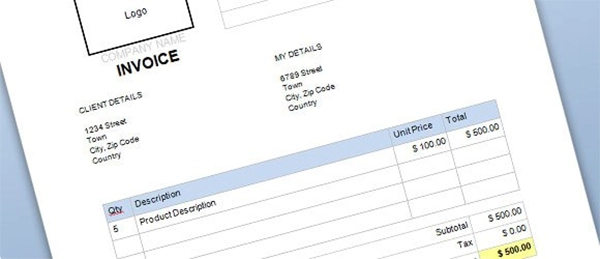
A Word invoice template is a pre-designed document made in Microsoft Word software that businesses can utilize to bill clients for products or services.
Instead of designing invoices from scratch every time, users simply edit the template by entering information such as:
- Business name
- Company logo
- Client details
- Invoice number
- Description of products or services
- Payment terms
- Due date
- Total amount due
The template can then be saved, printed, or shared digitally with clients.
Why Businesses Choose Word Invoice Templates
Many businesses continue using Microsoft Word because it combines simplicity with flexibility.
Some key advantages include:
- Easy to edit
- Professional appearance
- Customizable layouts
- Compatible with many devices
- Simple document sharing
- No specialized accounting software required
These benefits make Word templates especially attractive for freelancers and small businesses.
Essential Elements of a Professional Invoice
An effective invoice should contain all the information clients need to process payment quickly.
Business Information
Include:
- Business name
- Logo
- Address
- Phone number
- Email address
- Website
Professional branding improves credibility.
Client Information
Always include accurate client details such as:
- Client name
- Company name
- Billing address
- Contact information
This helps prevent billing errors.
Invoice Number
Every invoice should have a unique identification number.
Sequential numbering makes invoices easier to organize and track.
Description of Services
Clearly explain:
- Services performed
- Products delivered
- Quantity
- Hourly rate (if applicable)
- Unit price
Detailed descriptions reduce confusion and support transparency.
Payment Terms
State your payment expectations clearly.
Include information such as:
- Due date
- Accepted payment methods
- Late payment policy
- Currency
- Payment instructions
Clear payment terms encourage timely payments.
Benefits of Using Word Invoice Templates
Saves Valuable Time
Creating invoices manually for every client can be time-consuming.
Templates enable businesses to reuse the same professional format while changing only project-specific information.
Creates Consistent Branding
Using the same invoice design across all clients strengthens your business identity.
Consistent branding creates a more professional impression.
Easy Customization
Microsoft Word allows users to modify:
- Fonts
- Colors
- Logos
- Tables
- Layouts
- Company information
Businesses can adapt templates to match their branding requirements.
Cost-Effective Solution
Many startups and freelancers do not require expensive accounting software.
Word templates provide an affordable solution while maintaining professional quality.
Best Practices for Creating Professional Invoices
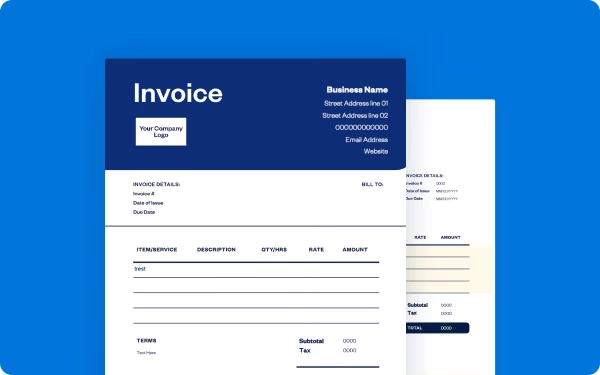
Following a few best practices can improve your invoicing process.
Send Invoices Promptly
Issue invoices immediately after the work is complete or when the products are delivered.
Prompt invoicing enhances cash flow and reduces payment delays.
Keep Information Accurate
Double-check:
- Customer details
- Invoice numbers
- Dates
- Calculations
- Payment instructions
Accuracy minimizes billing disputes.
Use Clear Formatting
Well-organized invoices are easier for clients to review.
Avoid overcrowded layouts and keep sections easy to read.
Maintain Organized Records
Store copies of every invoice for accounting, tax reporting, and future reference.
Digital recordkeeping also simplifies financial management.
Businesses looking to further tailor their invoice formats can explore additional templates and resources here. Professional Word invoice templates simplify billing, improve consistency, and allow you to design polished invoices that reflect a professional business image.
Common Mistakes to Avoid
Avoiding these common invoicing mistakes helps ensure faster payments.
Missing Contact Information
Always include complete business and client contact details.
Incorrect Invoice Numbers
Duplicate invoice numbers can create accounting confusion.
Maintain a consistent numbering system.
Vague Service Descriptions
Clients should immediately understand what they are paying for.
Provide clear and detailed descriptions.
Forgetting Payment Terms
Always include due dates and payment instructions in the generated bills.
Clear expectations lead to fewer misunderstandings.
When Should You Use a Word Invoice Template?
Word invoice templates work especially well for:
- Freelancers
- Consultants
- Marketing agencies
- Designers
- Contractors
- Small businesses
- Service providers
- Startups
Businesses with relatively straightforward billing needs often find Word templates both practical and efficient.
Digital Sharing of Word Invoices
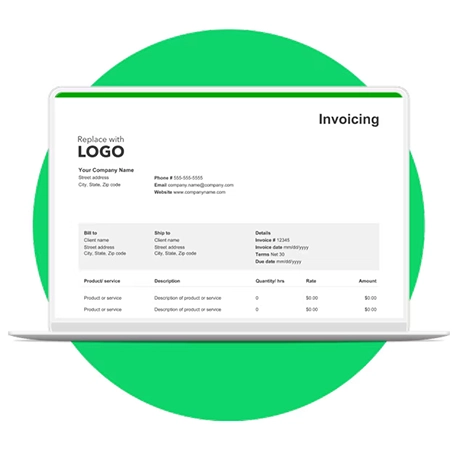
Modern businesses mostly send invoices electronically.
After completing a Word invoice, users can:
- Save it as a PDF
- Email it directly to clients
- Print physical copies
- Archive digital versions
- Store documents securely
Digital sharing speeds up the payment process while reducing paperwork.
Conclusion
Word invoice templates continue to be one of the most practical and accessible invoicing solutions for freelancers, entrepreneurs, consultants, and small businesses.
Their ease of customization, flexibility, and professional appearance make them a great choice for organizations that search for a simple yet effective billing process.
By using a well-designed template, including accurate business information, clearly describing services, and providing transparent payment terms, businesses can improve cash flow, strengthen client relationships, and maintain organized financial records.
As companies continue to adopt digital workflows, Word invoice templates remain a dependable tool for designing professional invoices that support efficient business operations.
Frequently Asked Questions (FAQs)
1. What is a Word invoice template?
Ans: A Word invoice template is a customizable Microsoft Word document designed to help businesses create professional invoices quickly and efficiently.
2. Who should use Word invoice templates?
Ans: Freelancers, consultants, contractors, startups, and small businesses can all benefit from using Word invoice templates.
Ans: Yes. Users can modify fonts, logos, colors, layouts, payment terms, and business information to match their branding.
Ans: es. Properly designed templates create organized, professional invoices that help build trust with clients.
3. Can Word invoice templates be customized?
4. Are Word invoice templates suitable for professional businesses?