Paperwork follows every employee from the day they accept an offer to long after their last paycheck clears. Tax reforms, contracts, and handbooks are predictable, and some of it catches HR teams off guard.
An employee going through a lawsuit or family court case, for example, might ask for proof of income to complete a Texas affidavit of indigency form, which lets people who can not afford court costs ask a judge to waive them. Requests like that show how far HR’s documentation duties go.
You can handle the routine and the unexpected scrambling when your records are organized, digital, and easy to pull up. This guide covers the essential legal documents every business should manage, how to state the rules, and practical ways to store and protect it all.
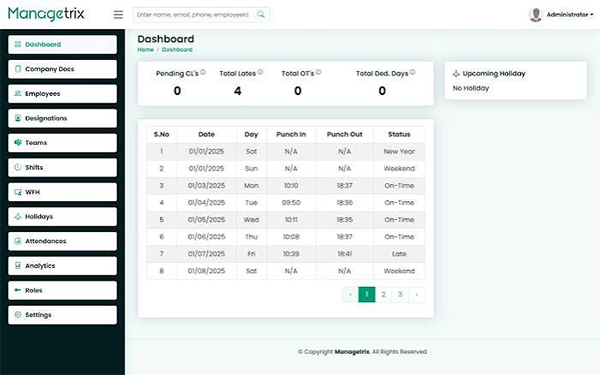
Why Digital HR Compliance Matters
Filing cabinets used to be sufficient. Now a small company might have remote workers in five states, contractors overseas, and a payroll provider that sends reports by email. A written letter can’t keep up with that.
Mistakes get expensive fast. A missing I-9 can lead to federal charges. Sloppy payroll records can turn a simple wage dispute into a losing case. A lost medical note can make you face privacy claims. Going digital doesn’t fix these issues on its own, but it gives you a clear system for finding, tracking, and protecting what you have.
Employee Onboarding Documents
Onboarding is where your paper trail starts, and it’s where many compliance gaps start. Get it right here, and everything later gets simpler.
Federal Forms You Can’t Skip
Every new hire in the U.S. requires a few federal documents on file:
- Form I-9: Verifies identity and work eligibility. The employee fills out Section 1 by their first day, and you complete Section 2 within three business days of their start date.
- Form W-4: Defines how much federal income tax to withhold from each paycheck.
- State withholding forms: Many regions have their own version of the W-4.
- New hire reporting: Most states need you to report new employees within about 20 days, specifically to help with child support enforcement.
Contracts, Offer Letters, and Agreements
Beyond tax and eligibility forms, secure signed copies of offer letters, employment contracts, and any confidentiality or non-compete agreements. Non-compete rules differ widely by state, and some states barely enforce them at all. A signed handbook acknowledgment lies here too. If a policy dispute ever comes up, that one page states the employee received the rules.
E-signature tools make this part simple. New hires can sign everything before day one, and you get a time-stamped record without pursuing anyone down the hall.
Compliance Policies Every Business Needs
Your policies express to employees what to expect, and they show regulators and courts that you took your duties seriously. Written policies only help if people really receive and acknowledge them.
The Employee Handbook
Think of your handbook as the home base for workplace rules. It should include attendance, pay schedules, leave, conduct, and how to report issues. Update it at least once a year, and any time a major law changes. Old handbooks floating around in shared drives bring confusion, so archive past versions from everywhere and keep one current copy.
Anti-Harassment and Safety Policies
Some policies have extra legal weight. A clear anti-harassment policy with a real reporting procedure can help protect your company if a claim ever reaches court. Several states, including California, New York, and Illinois, require regular harassment prevention training, and you’ll want proof that each worker completed it.
Workplace safety documents matter equally. Depending on your industry, OSHA may require injury logs, safety training data, and hazard communication materials. Even office-based businesses should keep general emergency plans on file.
Payroll Records and Retention Rules
Payroll is where small errors pile up nicely. One wrong overtime calculation, repeated every week for two years, becomes an unavoidable back-pay claim.
Under the Fair Labor Standards Act, you have to keep basic payroll records for at least three years. Time cards and wage rate tables have to be kept for at least two years. The IRS asks you to hold onto employment tax records for at least a half decade. Many HR pros generally keep everything for seven years to stay secure.
Your payroll files should have:
- Employee names, addresses, and Social Security numbers
- Hours worked each day and week
- Pay rates, overtime earnings, and deductions
- Pay dates and the period each check covers
- Records of bonuses, commissions, and final paychecks
Final pay deserves special attention. States set their own deadlines for final paychecks, and some require payment on the employee’s final day. Missing that window can cause penalties that add up daily.
Digital Document Management Basics
Switching from paper to digital files sounds easy until you’re staring at 400 PDFs named “scan_0042.” A good system requires structure from the start.
Choose the Right Tools
You don’t need the most expensive software. You should acquire something that fits your size and grows with you. Look for HR platforms or document management systems that bring:
- Role-based access, so managers only see what they want
- Automatic retention reminders and deletion schedules
- E-signature support built in
- Search by employee name, document type, or date
- Audit trails showing who opened or changed a file
Build a Clear Folder Structure
Save files by type, not just by employee. Medical records, for instance, must be kept apart from common personnel files under the ADA. I-9 forms are often best stored in their own folder too, so you can hand them over during an audit without revealing anything else. Pick a naming format, write it down, and cling to it.
State-Specific Legal Forms
Federal law sets the floor. States build on top of it, sometimes in unexpected ways. If you hire across state lines, this is where things get complicated.
Each state may have its own guideline for paid sick leave notices, wage statements, final pay timing, and required workplace posters. California’s pay stub needs to look nothing like those in Texas. New York has particular notice forms for pay rates that employees must sign at hire.
Court-related documents add another layer. Employees may offer you wage garnishment orders, child support withholding notices, or requests for income verification clung to legal filings. Each one has its own deadline and format. Respond late or inaccurately, and your business could end up liable for the unpaid money.
Keep a simple tracker that lists the states where you have workers and the particular forms each one requires. Review it every quarter. Laws shift more often than most people expect.
Best Practices for HR Document Storage and Security
Employee files hold some of the most sensitive information your business touches: Social Security numbers, bank details, medical notes, and background checks. Securing it is a legal duty and a matter of reliability.
Limit Who Can See What
Not everyone in HR requires access to everything. A recruiter doesn’t need payroll data, and a payroll clerk doesn’t want medical files. Set permissions by job role, and review them whenever someone changes positions or leaves the firm.
Protect Your Data
Use encryption for stored files and for anything you send by email. Use multi-factor authentication for every HR system. Back up your records consistently, and test those backups so you know they really work when you need them.
Follow a Retention Schedule
Holding onto files forever feels safe, but it brings risk. The more old data you keep, the more you have to lose in a breach. Set clear retention periods for each document type, then remove records securely once that time goes by. For I-9s, the rule is three years after the hire date or one year after employment ends, whichever arrives later.
Train Your Team
Most data leaks start with a manual mistake, like a clicked phishing link or a file sent to the wrong person. Short, regular security training helps your HR team spot issues before they turn into incidents.
Wrapping Up
HR compliance isn’t a one-time project. It’s a habit. Start by collecting your onboarding forms, policies, and payroll records into a single organized digital system. Add state-specific needs as you grow, and store everything with smart access rules and solid security.
You won’t get every piece of information perfect on the first try, and that’s okay. What counts is building a system you can depend on, one that lets you answer an auditor, a court, or an employee’s request faster and confidently. Your future self will thank you the next time someone needs a document from three years ago.
FAQs
1. What HR document must every business maintain?
Ans: Businesses generally need Form I-9, Form W-4, payroll records, employment agreements, employee handbooks, and applicable state-specific forms and policies.
2. How long should a business keep employee records?
Ans: Retention period depends on the document type and applicable laws. For example, the FLSA generally requires payroll records to be kept for three years and time cards for two years.
3. How can a business securely store HR documents digitally?
Ans: A business can use HR management software with role-based access, encryption, multi-factor authentication, audit trails, secure backups, and automated retention reminders to protect sensitive employee information.