One AI flyer can use a high-contrast product shot, while the next uses a muted background, and the social media covers feel entirely unrelated to the core campaign. This irregularity comes from hollow prompts and a lack of unified design logic.
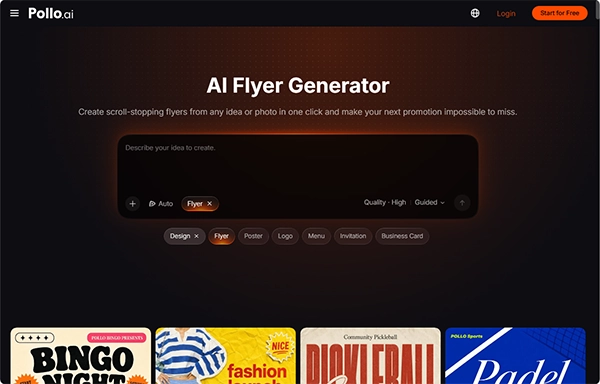
The AI flyer maker by Pollo AI lets creators establish a repeatable visual system that grounds every generation in the same brand DNA. You can naturally extend that look to other formats once your primary assets are set, ensuring your marketing remains professional from print to screen
Build a Short Design Brief for the AI Flyer Maker
Before generating any image, describe the campaign’s rules in a short brief. It separates fixed brand elements, such as colors, headline style, and logo placement, from flexible details like the offer. Vague requests cause most visual drift, because defining the brand differently each session leads the AI flyer maker in Pollo AI to interpret it differently each time. A written explanation gives every session the same structural constraints.
The brief should also set visual hierarchy, such as maintaining the product in the top third or using a high-contrast font for discount text. When the featured offer changes from “Spring Sale” to “Flash Sale,” the composition stays stable. That consistency brings recognition with local consumers over time.
Gather High-Quality and Consistent Source Files
Use the same logo file, product photo, and color specifications throughout. If your product photo has a warm tone while your brand logo is a light blue, the AI may struggle to balance the palette. A transparent logo or compressed screenshot can change the result noticeably, so check file format and colors first. Your output quality is only as good as your input; upload clean, high-resolution source files with consistent lighting and color values, and specify what must stay accurate.
From Static Flyers to Dynamic Video Content
Once your master flyer has been approved, the next step is to build supporting materials for your digital channels. This is where the transition from print to video becomes critical. After establishing your visual theme with the AI flyer maker, you can consider Pollo AI to generate matching thumbnail covers for your promotional videos. The thumbnail maker in Pollo AI ensures that the “scroll-stopping” power of your flyer is used across YouTube or Instagram, where viewers only have a split second to decide whether to click.
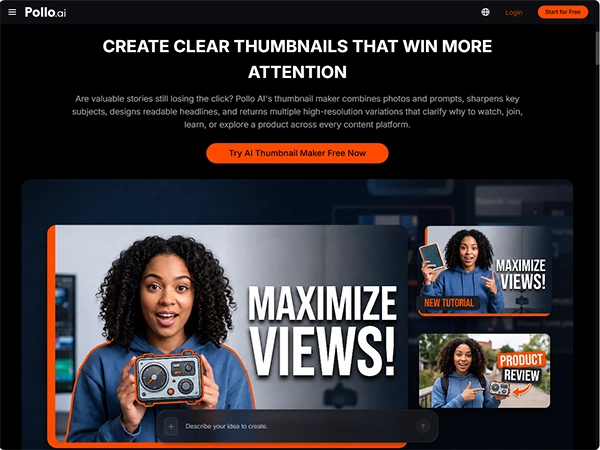
The logic here is simple: your video covers should seem like a natural extension of your posters. A thumbnail maker lets you adapt the headline and product focus for a much smaller screen. It also helps you prevent clutter, leaving only the most high-impact elements. This ensures that your brand’s visual story remains cohesive as the customer moves from seeing a flyer on the street to watching a teaser video on their mobile.
Review Your Campaign as a Unified Set
The final step in preventing irregularity is a side-by-side review of all assets. Place your print flyers, social media posts, and any covers generated by the thumbnail maker in a single view. Compare the logo scale, color temperature, and CTA placement over the board. If one piece feels “off,” it is generally because of a subtle shift in contrast or background density. By reviewing the set as a whole, you can verify these outliers before they reach your audience.
Check each thumbnail maker export at its real-world display size to check readability. If the text on your video cover is too thin, use the thumbnail maker to increase the weight or adjust the background blur. Finally, identify that all critical data—such as sale dates and website URLs—match the original brief exactly. This final review process, supported by the efficiency of Pollo AI’s tools, makes sure that your campaign is not just fast to produce, but also flawless in its execution.
Final Takeaway
In today’s fast-moving market, building a professional brand identity is just as important as the speed of your content production. Pollo AI provides creators with a practical way to achieve both by streamlining the path from a brief to a completed campaign. By focusing on consistent inputs and utilizing a unified design suite, you can eliminate the visual friction that often plagues AI-generated ads.
Select your next campaign and test this high-efficiency workflow to see how easily you can maintain brand harmony. Pollo AI is curated to help you bridge the gap between creative ideas and professional outcomes.
FAQs
1. Why do AI-Generated promotional visuals look inconsistent?
Ans: Inconsistent prompts, varying source images, and unclear design rules can cause AI-generated flyers and thumbnails to differ in layouts and brand identity.
2. How can an AI flyer maker help maintain brand consistency?
Ans: An AI flyer maker can help establish a repeatable design approach by using consistent brand colors, logo, placement, headline styles, and visual hierarchy.
3. How can a thumbnail maker keep promotional videos consistent with flyers?
Ans: A thumbnail maker helps adapt a campaign’s colors, headlines, and product image to video covers for platforms such as YouTube and Instagram.