Managetrix vs Darwinbox: Which HRMS Is Right for Your Organization?
Darwinbox is one of the leading enterprise HRMS solutions in India, aimed at enterprises with complex HR requirements. Darwinbox is a strong solution, well-funded and deployed across many enterprises. Then why do enterprises seek a Darwinbox alternative? The answer is simple: cost over time, data ownership, and flexibility of deployment. This post describes how Managetrix and Darwinbox are different and where one shines over the other.
We’ll be transparent throughout the post. Darwinbox is indeed a strong product with great enterprise-level capabilities. However, there are those who are looking for a product that can give them full ownership of the software and their HR data.
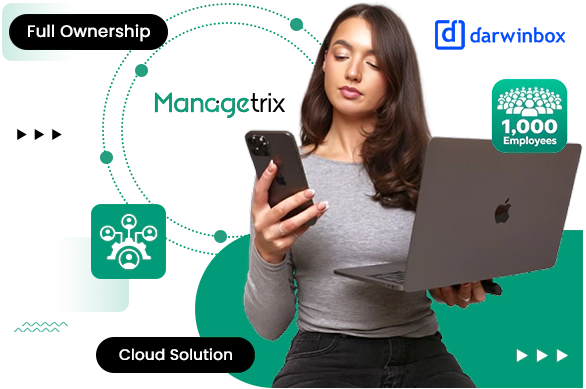
Go for Darwinbox when: You belong to an enterprise with more than 1,000 employees and need complex multi-entity HR solutions, a completely managed cloud solution, and modules such as talent management, recruitment, and employee experience. If you don’t have a problem with spending a bit extra money, then Darwinbox can be a great choice.
Go for Managetrix when: You want a product that charges only one time without any recurring charge and offers data control with full ownership. If you have a team of 10-500 members, Managetrix is the best choice for you.
The Core Difference: Cloud vs Self-Hosted
This is the basis of all other comparisons.
Darwinbox is a SaaS solution. Your employees’ data is stored on Darwinbox’s servers. The data is accessed via a browser and updated by Darwinbox. This is how you get charged: per employee, usually on an annual plan.
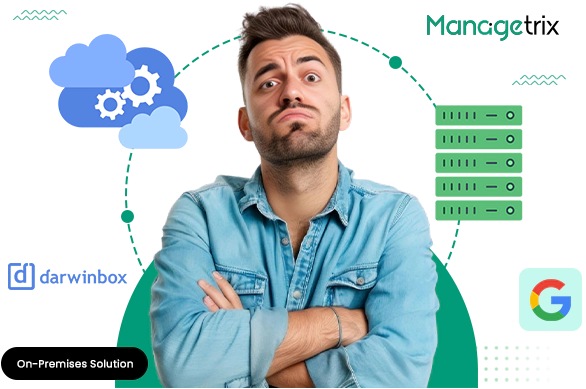
Managetrix is an on-premises solution. You install Managetrix on your server: AWS, Azure, Google Cloud, or even a server located on-premises. We never see your data; you manage your backups, access, and updates.
What this really comes down to:
- Darwinbox: You lease the software along with the infrastructure.
- Managetrix: You buy the software once and use your own infrastructure.
It is important for teams with specific compliance needs or for sensitive employee data.
Pricing Comparison: One-Time vs Per-Employee
It is right here that the difference is most starkly seen.
Darwinbox employs a pricing plan on a per-employee basis for a yearly fee. Enterprise pricing models are usually based on quotes and scale according to the number of users and modules used. The more people you have in your company, the higher the costs go.
Managetrix has a flat pricing plan, whereby you pay one time for lifetime usage.
| Pricing factor | Darwinbox | Managetrix |
|---|---|---|
| Pricing model | Per employee, annual (quote-based) | One-time license |
| Per-user fees | Yes | None |
| Mandatory renewal | Yes (annual) | No |
| Cost as team grows | Increases | Stays fixed |
| 5-year cost (100 users) | Enterprise quote (typically $30,000+) | $1,499 once |
- All the features in the Basic plan
- Document management
- Attendance and time tracking
- Shift management
- All the features in the Standard plan
- Payroll management
- HR analytics
- Advanced roles & permissions
For a 100-person team, the calculation becomes easy. Darwinbox follows an exponential annual rate while Managetrix doesn’t.
Feature Comparison: Where Each Wins
- Company-wide depth. Darwinbox was designed for large companies and multi-entity companies. They have complex company structures, payroll in multiple countries, and enterprise-level workflows that small companies do not require.
- Talent management and recruitment. The depth of talent management and recruitment modules in Darwinbox is impressive. Onboarding, performance management, and employee experience also have their own modules here. If talent management is important for your company, consider this fact.
- Employee experience and mobile app. Darwinbox is famous for the high-quality user experience and mobile-friendly interface of its platform.
- Zero IT. You will not have to think about servers, backups, and updates when using Darwinbox.
- Analytics and reports. Darwinbox provides advanced analytics and reports for enterprise-level HR teams.
- Ownership of data. Your HR data including salaries, contracts, personal data will be stored at your server. We do not have any access to it, we cannot see it and do not keep it.
- Long-term cost predictability. No fees for per user make your software cost constant. Even if you hire 50 more employees, this will not affect your costs for HR software. This is important for mid-size groups.
- Control over customization. Managetrix is self-hosted software. You can fully manage your environment and customize it according to your needs.
- No vendor lock-in. You own the license. Even if you decide to stop using Managetrix, your data is already stored on your server. There is no need for export requests or waiting time.
- Offline working mode. Managetrix works without an internet connection because it is hosted on your server.
- Simplicity and speed of setup. Managetrix works after 1-3 days from signing a contract. Implementation of enterprise software like Darwinbox takes a longer period of time.
Core Feature Comparison
| Feature | Darwinbox | Managetrix |
|---|---|---|
| Employee management |

|
|
| Attendance & time tracking |
|
(Standard+)
|
| Leave management |
|
|
| Shift management |
|
(Standard+)
|
| Payroll |
|
(Premium)
|
| HR analytics |
|
(Premium)
|
| Recruitment & talent management |
(deep)
|
 (Not core focus) |
| Multi-entity / multi-country |
(enterprise)
|
⚠️
(limited)
|
| Employee self-service |
|
|
| Self-hosted option |
|
|
| One-time payment |
|
|
| No per-user fees |
|
|
| Full data ownership |
|
|
Migration: Switching from Darwinbox to Managetrix
If you are currently on Darwinbox and thinking of switching, it turns out to be easier than most people think. Managetrix allows for migration of data from CSV/Excel, which is possible in Darwinbox through admin settings.
Steps involved in migration:
- Export your employees’ data, including payroll, attendance, and leaves, from Darwinbox in the form of a CSV/Excel file.
- Forward the files to our migration team at Managetrix.
- We will map the fields for you and give you a validation report.
- Finally, go live within 1-3 days.
For a detailed walkthrough, see our Migration Guide.
Who Should Choose Which?
- You are running a big organization (more than 1,000 employees).
- You require multi-entity and multi-country HR solutions.
- Recruitment and talent management are primary concerns.
- You desire a completely managed cloud solution without any infrastructure cost.
- Operational expenses (OpEx) suit you more than capital expenses (CapEx).
- You do not wish to pay any user costs forever.
- You have issues with data sovereignty and self-hosting.
- Your team members range from 10 to 500.
- You have basic IT skills or even a cloud server to set up the software.
- You are growing and looking for predictable cost solutions.
Ready to Compare for Yourself?
The best method would be to actually experience both applications. Schedule a free demo of Managetrix and compare it to your existing Darwinbox.