
HR Software for IT and Software Companies
IT and software companies rarely work the same way. Some people work from an office, some work from home, some move between home and the office throughout the week, and some teams are organized around projects, squads, and leads rather than neat departments. As a result of all this, HR teams face difficulties in tracking remote days, leave, new joiners, and role changes without managing different spreadsheets.
Managetrix is an exceptional HR software that brings employee records, attendance, teams, and remote work into one system. The software is self-hosted and sold as a one-time licence, which means that the price does not increase even if the team grows.
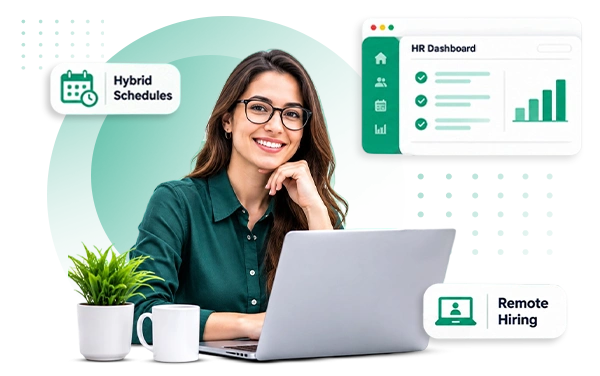
HR Problems that IT and Software Companies Encounter
- Hybrid and remote schedules. Both office and remote working schedules require logging; otherwise, attendance becomes impossible to track.
- Teams that overlap. People switch teams frequently, and sometimes, one leader has several teams under him.
- Remote hiring. While the new employee might never enter an office, his onboarding should be recorded with a manual and access immediately.
- Frequent switching of roles. People get promoted and transferred frequently, and role titles become ambiguous due to free typing.
- Planning of vacation around releases. The management needs to know in advance who is going to take vacation at a certain period.
- Disconnected records. Contact information, documents, and job titles are stored in separate documents; no one can determine their up-to-date version.
- Per-seat costs as you grow. Per-user HR services cost more and more each month.
How Managetrix assists software and IT companies
How a Typical Week Works with Managetrix?
Team leads review the leave calendar before planning.
Employees clock attendance whether they come to the office or work remotely.
A new hire comes with a designation and team, and reads the handbook from their dashboard.
HR checks attendance and lateness/overtime numbers by each individual rather than merging spreadsheets.
IT HR Tasks and How Managetrix Handles Them
| IT HR Task | How Managetrix Handles it | Module |
|---|---|---|
| Recording office and remote days | Remote days are counted like regular days in one attendance table | Work From Home, Attendance |
| Managing squads and leads | Teams are allotted named leaders, and one person can lead more than one team | Team & Shift Management |
| Keeping titles consistent | Designations are picked from a managed list | Roles & Designation |
| Onboarding remote hires | Add Employee button, bulk import, and a shared handbook | Employee Management, Company Documents |
| Approving leave | Employees can raise requests and follow them on their dashboard | Leave & Holiday Management |
| Controlling who sees what | Roles and Permissions are set by HR admins | User Roles & Permission Management |
| Reviewing attendance trends | Monthly attendance, late, overtime, and absence of every employee | HR Analytics |
| Processing payroll | Automated payroll processing | Automated Payroll |
Create it According to Your Teams
Setting up Managetrix for any software company comes down to three simple choices:
Squads, projects, or delivery teams are allotted, each with a named leader.
Set up a controlled list of job titles, so promotions are a selection.
Roles and permissions are created separately from job titles.
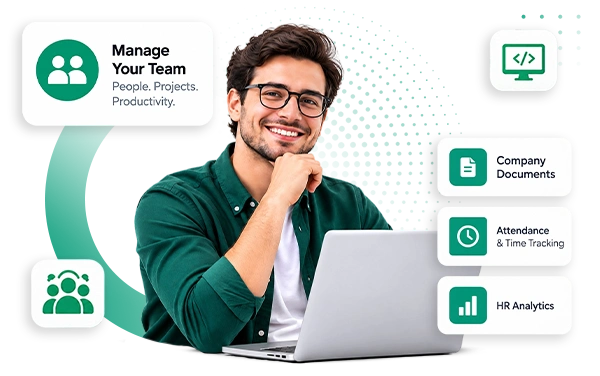
Why a One-Time Licence is Suitable for Software Teams
Software development teams expand gradually: a new product, a big project for the client, a new team. The software per-seat model charges for every expansion monthly. Managetrix is available as a one-time licence in three options – Basic for $499, Standard for $999, and Premium for $1,499.
Basic includes modules such as Employee Management, Team Management, and Roles & Designations. Standard module includes Company Document Management and Attendance & Time Tracking. Premium includes HR Analytics and User Roles & Permissions. Additional 20 users will not affect the price you have already paid.
Contact our sales team to make sure which modules fit your requirements and terms of updates and support before purchase. See Pricing.
Your Team Data Stays on Your Own Server
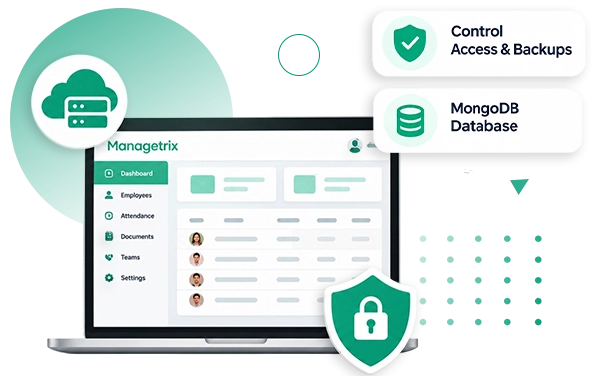
IT-based firms usually seek to know where their employee data will be stored. Managetrix is self-hosted; hence, your employee information will be in your MongoDB database running on your server. It’s up to you to control server access, database backups, and domain and HTTPS certificates.
The security of your database will depend on how you host it. Check the Security & Self-Hosted page for more information.
IT and Software Companies That Suit Managetrix The Best
- Startups and small dev teams with less than 50 members. Single system vs. spreadsheets and chats.
- Product organizations with multiple squads. Squads are teams with their own leaders and job titles.
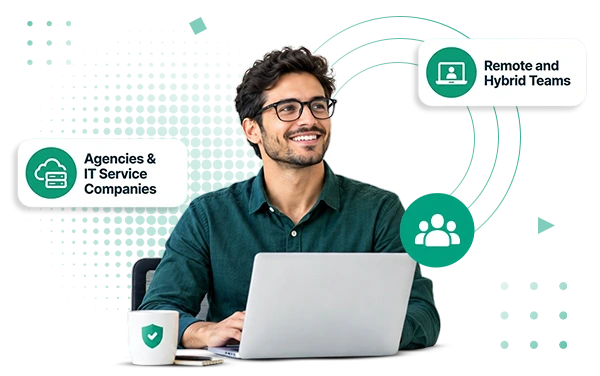
- Agencies and IT service companies. Manage multiple delivery teams whose leaders cover multiple teams. Qdexi Technology, an IT company, transferred HR data from manual spreadsheets to the digital system. View the case study.
- Remote and hybrid teams. Work-from-home days are noted alongside working days at the office.
How to Get Started

Take a tour of the dashboard, employee directory, and designations. No registration is required.

Communicate your employee numbers and required modules to the sales department.

Install Managetrix on your server and hook it to your MongoDB database.

Create a team for each squad, then add/import employees.
Manage Your Entire IT Team from One System
Replace all your scattered spreadsheets with one record for every employee, office, or even remote worker. Access the demo, or have a chat with our team about the right plan for your company.
Frequently Asked Questions
Is Managetrix fit for hybrid and remote software teams?
Absolutely. Home office workdays and remote days are all entered into the same attendance table as regular office workdays.
Can one person manage more than one team?
Yes, every team has a named leader, and one person can lead more than one team.
Can we import our employees from an Excel file?
Yes. We can use bulk import to import existing employees, followed by assigning designations and teams.
Does it mean that we pay extra when we add more members to our team?
No. Once we pay the license fee, the amount remains the same irrespective of the number of users we add to our team.
Where do you store our employee data?
On your own server and database. Overall security is a function of your hosting facility and other related policies.
Can our team leaders view all the information?
It’s your call. You need to configure roles and permissions for different user levels.
Can our employees update their profile data?
Yes. Employees have full access to update their profile information.
Can employees view their attendance and leave?
Yes. All employees will be able to view their own attendance, leave applications, and holidays.
Can we check out Managetrix first?
Yes. Our live demo doesn’t require any registration.