
HR Software For Manufacturing Companies
A manufacturing business is dependent on shifts. Workers have set times when they start and finish their work, and they rotate between morning, evening, and night. Additionally, overtime is also a part of the workweek. This is why it becomes important for supervisors to know who is in, who is late, and who is on leave, and HR needs accurate records that hold up at the end of the month.
Managetrix is an excellent HR software that brings together everything that manufacturing companies need: employee records, departments, shifts, attendance, and leave into one system. The software is entirely self-hosted and sold as a one-time license, which means increasing your workforce will not result in an increase in the price.

HR Challenges Encountered by Manufacturing Companies
- Shift Rotation – It is difficult for HR admins to rotate employees across morning, evening, and night shifts fairly by hand, and clashes often make the situation even more difficult.
- Overtime records – Overtime records need accurate data for every worker, so that month-end checks do not turn into disputes.
- Attendance for large headcounts – Hundreds of workers work every day, and punching data stored in spreadsheets can cause issues.
- Departments and supervisors – Every department has its own structure and a named supervisor.
- Contract and seasonal hiring – Production during peak seasons creates a need for short-term workers whose records have to be created and closed by hand.
- Scattered records – Contact details, documents, and job titles are stored in different files and registers, and it gets difficult to determine which versions are current.
- Per-seat software costs – Pricing dependent on every user becomes expensive when managing a large floor workforce.
How Managetrix Assists Manufacturing Teams?
A Typical Week on Managetrix
Supervisors verify the shift schedule and leave calendar before approving the rotation of the week.
Workers’ clock-in/out, tardiness, and overtime are reflected on an attendance record for each worker.
Any new contract workers are added easily with a designation and a team.
HR can easily review attendance, late, and overtime figures for every person instead of collection spreadsheets.
Major Manufacturing HR Tasks and How Managetrix Manages Them
| Manufacturing HR Tasks | How Managetrix Manages Them | Module |
|---|---|---|
| Creating shift rotations | Assign shifts by availability and workload, with predefined rotation rules | Team & Shift Management |
| Recording who is on the floor | Punching in and out with biometric and manual options | Attendance & Time Tracking |
| Tracking overtime | Monthly view of overtime and late days for every person | Attendance, HR Analytics |
| Approving time off | Employee requests with status displayed on the dashboard | Leave & Holiday Management |
| Hiring for a production peak | Use the Add Employee button or bulk import from a spreadsheet | Employee Management |
| Keeping policies and records | One shared store with controlled access | Company Documents |
| Limiting access to personal data | Roles and permissions are set by admins | User Roles & Permissions |
| Processing payroll | Automated payroll processing | Automated Payroll Management |

Why a One-off Licence Works Well for Manufacturing
The number of manufacturing staff is large, and the number fluctuates according to production volumes. HR software based on the per-seat model charges you for each employee every month. There are three licences for Managetrix: Basic for $499, Standard for $999, and Premium for $1,499.
Basic includes modules Employee Management, Team Management, and Roles & Designations. In addition to Basic, Standard provides Company Document Management and Attendance & Time Tracking. In addition to all that, Premium provides HR Analytics and User Roles & Permissions. The licence does not depend on the number of employees.
Capacity depends on your server capacity, so please tell us your headcount, and we will provide you with the list of modules, updates, and support. Check out . Pricing.
Workforce Data Is Hosted On Your Server
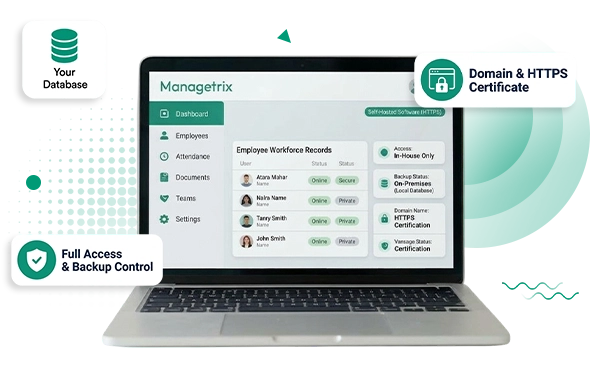
Managetrix is self-hosted software, and therefore your employee data will be stored in your database on your server rather than on the vendor’s cloud. You are in charge of access, backups, and your domain name and HTTPS certificate.
Security depends entirely on how you are running your server, so plan hosting, backups, and access rules as you would for any other system that will hold your employee data. Explore the Security & Self-Hosted page more.
Manufacturers that Fit Best With Managetrix
- Small workshops and units under 50. Keep your data on one simple system instead of registers and spreadsheets.
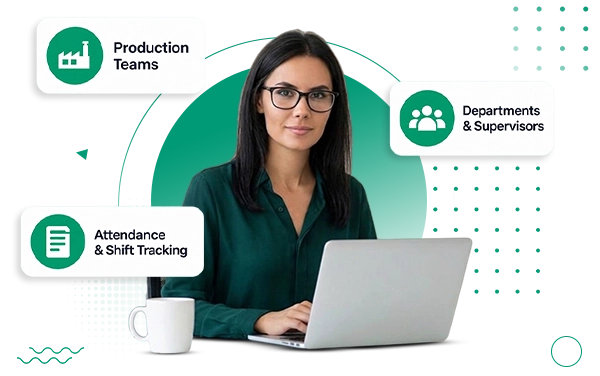
- Multi-department plans. Allot each department or line its own team and supervisor, with consistent job titles.
- Shift-based operations. See teams, leaders, working days, late arrivals, and overtime in one single place.
- Head office and admin staff. Remote days are stored in the same attendance table as office days. Read more about Work From Home Monitoring.
Getting Started with Managetrix

Play around with the dashboard, directory of employees, and their designations. You don’t have to register to check out the software.

Inform the sales team about your headcount and required modules.

Download and install Managetrix on your servers and link your MongoDB database.

Make a separate team for every department and add or import your workers.
Run Your Plant’s HR from One System
Get rid of your registers and spreadsheets – one record for each worker. Have a look at the demo, or contact us for the best solution for your plant.
Frequently Asked Questions
Is Managetrix suitable for factories based on shifts?
Yes. You will be able to create teams for your workers, allocate shifts and rotate them, as well as manage attendance, tardiness, and overtime all in one place.
Can Managetrix handle biometric attendance?
Biometric and manual attendance are supported. Contact our sales team for more information regarding compatible devices for your plant.
Can we manage multiple plants or units?
Yes. Set up each unit as a separate team with its leader. Contact our sales team with your organizational structure.
How many workers can it handle?
There is no limitation based on your headcount, but the capacity is limited by your server resources. Contact our sales team and inform us about your headcount.
Do we need to pay extra for contract workers?
No, as the license is a one-off payment, adding employees will not affect the pricing.
Where is our staff data stored?
In your personal server and database. Overall security also depends on your hosting and access settings.
Can the supervisors see the data of all employees?
It depends on your settings, but only the administrator can give certain roles specific permissions.
Can the employees see their own attendance and leave history?
Yes, each staff member has his/her own dashboard with attendance information, leave, and holidays.
Can the employees edit their data?
Yes, each staff member can edit his/her information, while the administrator decides whether to approve or refuse the changes.
Is there a way to use Managetrix on a trial basis?
Yes, you can use the demo without having to sign up for it.